Turn Your AI Conversations
Into A System
Core48aii gives you a structured workspace so you stop rewriting prompts, losing context, and starting over.
Built to work with Core48aii AI, ChatGPT, Claude, or any AI tool.
Core48aii gives you a structured workspace so you stop rewriting prompts, losing context, and starting over.
Built to work with Core48aii AI, ChatGPT, Claude, or any AI tool.
.svg)
Long threads, scattered ideas, and important details get lost.
.svg)
You keep rewriting the same prompts over and over.
.svg)
Starting over, searching, and re-explaining drains hours.
.svg)
The longer the conversation, the worse the results become.
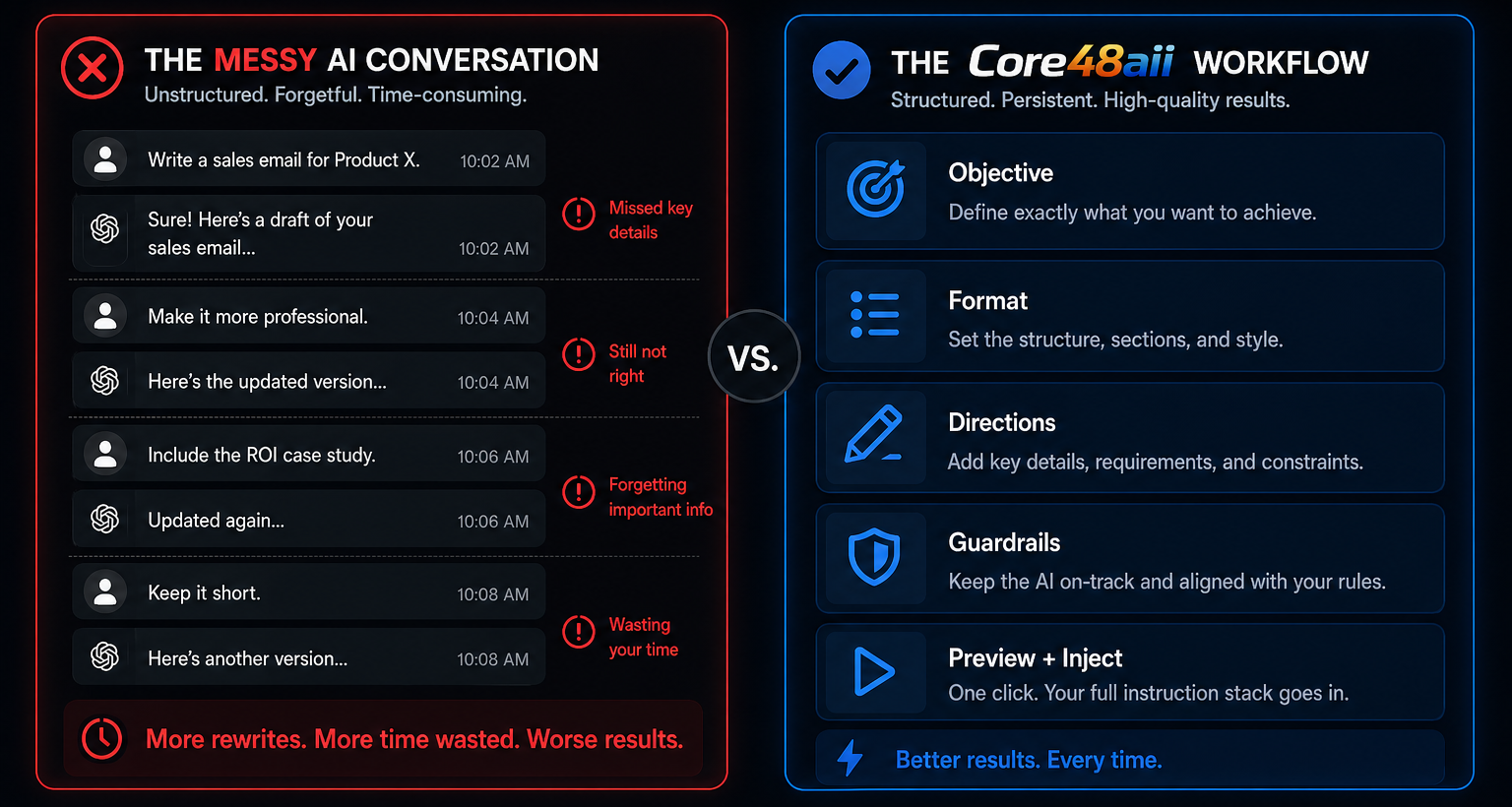
Run your structured instructions inside Core48 and replace chat-based AI with a system you control.
Objective → Format → Directions → Use Core48aii's AI
Core48aii's internal AI "Ava" uses structured workflows when you need precision, or quick prompts when you don’t. Your work doesn't drift or reset, and your instructions stay consistent.
Ava uses a relevance system for each task to pull in what actually matters from your user profile, added context, and uploaded files. No more guessing what part of your work the AI considers important.
Build a system you can return to anytime. Every response from Ava can be saved, organized, or reused within your workspace. Highlight key ideas and turn outputs into checklists, notes, and more.
Inject your structured instructions directly into any AI tool or text field when you're ready.
Objective → Format → Directions → Preview + Inject
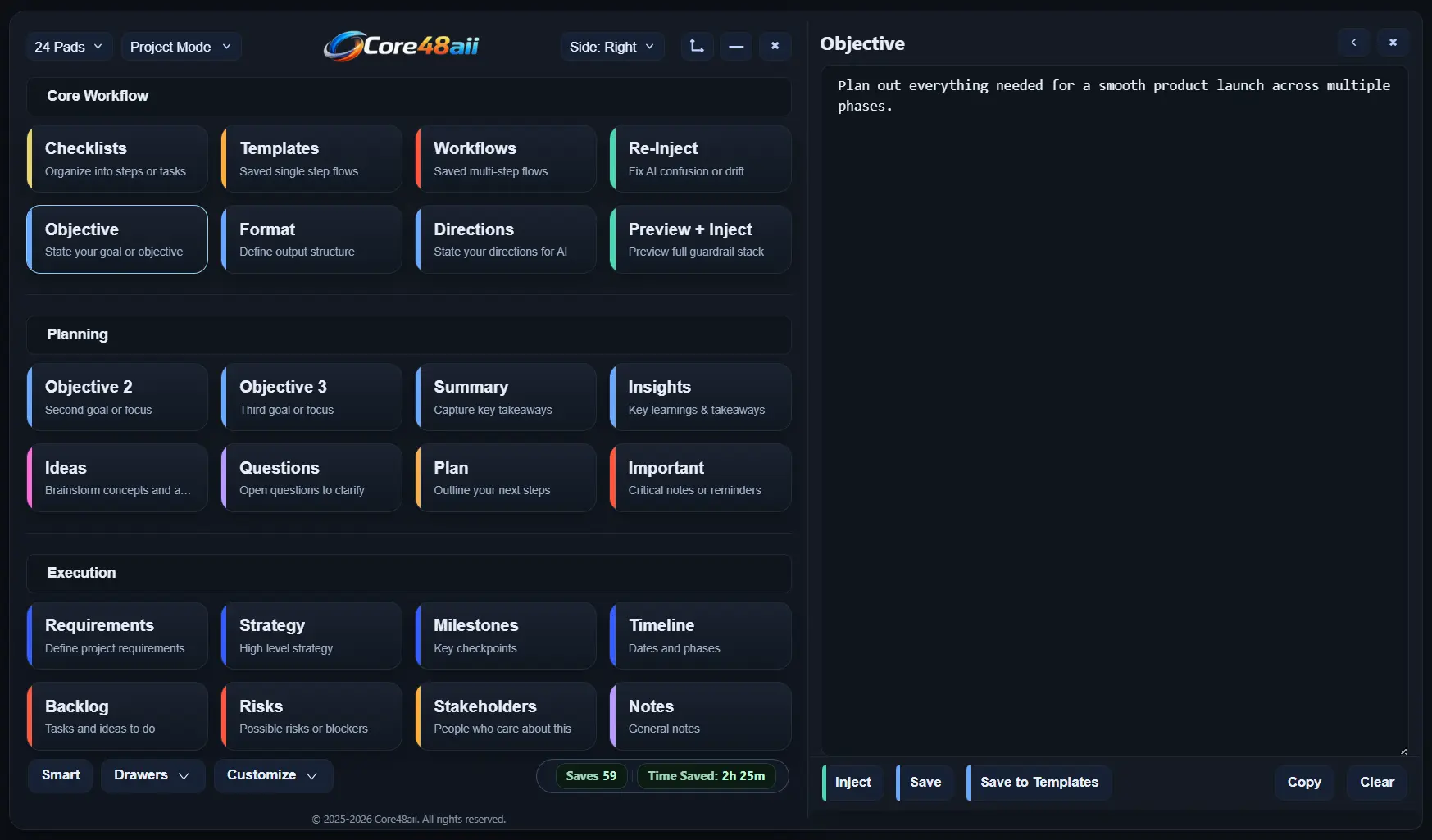
Start by laying out what matters in each core pad. Your Objective tells AI what you want to achieve. Your Format is how the AI output should look. Your Directions are the rules and constraints AI must follow.
Before sending anything, use the Preview + Inject pad to see your full instruction stack exactly as it will be used. Your objective, format, and directions are shown side by side, and edits can still be made if needed.
When you’re ready, click into any text field or AI chat, then press Inject. Core48aii places your prepared instruction stack directly into the active text box, whether it's an AI tool, or another app.
Core48aii turns scattered conversations into a structured system so you get better output, faster.
Core48aii gives you structure, so AI can deliver.
Better output. Less chaos. More results.
Spend Less Time Rebuilding. More Time Executing.
Save your most used objectives, formats, or directions as reusable templates. Insert them into new projects instead of rewriting from scratch. Your best thinking stays ready to reuse, exactly as you left it.
When a stack works, keep it. Save an entire stack (multiple templates) as a reusable workflow stack. Next session, you can run the same stack again for similar tasks without rethinking the setup.